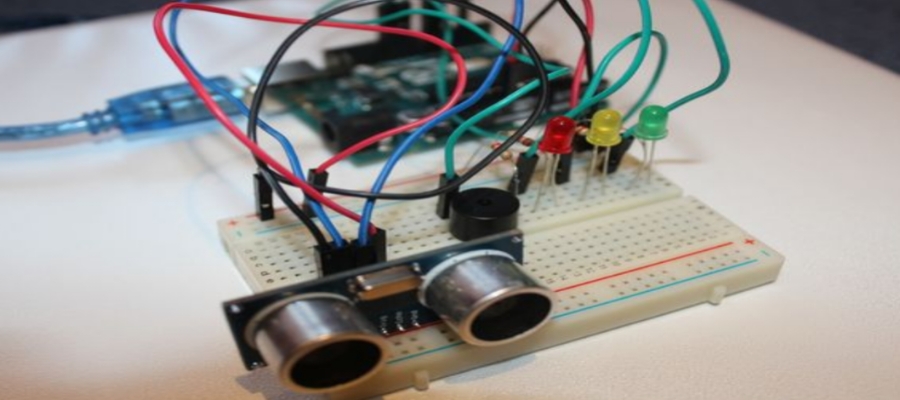
Person Detection and Alert
A security project using PIR motion sensors to detect movement, triggering instant visual LED alerts and serial monitor feedback.
Project Overview
This project demonstrates a basic security and presence-detection system. It uses a PIR motion sensor to detect movement from a person in the monitored area. When motion is detected, the Arduino triggers a simple alert by turning on an LED and printing a status message to the serial monitor.
View GitHub RepoCore Hardware Modules
Project Resources
Pin Configuration
| Component | NodeMCU Pin |
|---|---|
| HC-SR04 TRIG | D1 (GPIO5) |
| HC-SR04 ECHO | D2 (GPIO4) |
| LED Indicator | D5 (GPIO14) |
| VCC | VIN |
| GND | GND |
Project Source Codes
1. Arduino Motion Detection Firmware
Reads PIR sensor data, detects motion, activates LED alerts, and logs events through the Serial Monitor.
View Arduino Source Code
const int pirSensorPin = 7;
const int ledPin = 13;

void setup() {
  pinMode(ledPin, OUTPUT);
  pinMode(pirSensorPin, INPUT);
  Serial.begin(9600);
}

/* Complete source available in download */
2. Circuit Diagram & Wiring
Complete wiring diagram showing Arduino Uno, PIR sensor, LED indicator, and power connections.
View Wiring Details
PIR Sensor
VCC -> 5V
GND -> GND
OUT -> D7

LED
Anode -> D13
Cathode -> GND
3. Hardware Documentation
Includes component specifications, sensor calibration guide, and installation instructions.
View Hardware Guide
Included Resources:

• Arduino Uno Setup
• PIR Sensor Specifications
• Detection Range Adjustment
• Sensitivity Calibration
• LED Alert Configuration
4. User Manual & Setup Guide
Step-by-step assembly, firmware upload guide, testing procedure, and troubleshooting notes.
View Setup Guide
Setup Steps:

1. Connect PIR Sensor
2. Connect LED Indicator
3. Upload Arduino Code
4. Open Serial Monitor
5. Test Motion Detection
6. Adjust Sensor Sensitivity